> For the complete documentation index, see [llms.txt](https://docs.bito.ai/llms.txt). Markdown versions of documentation pages are available by appending `.md` to page URLs; this page is available as [Markdown](https://docs.bito.ai/ai-code-reviews-in-git/install-run-as-a-self-hosted-service/install-run-via-cli.md).
# Install/run via CLI
CLI mode is best suited for immediate, one-time code reviews.
1. **Prerequisites:** Before proceeding, ensure you've completed all necessary [**prerequisites for self-hosted**](/ai-code-reviews-in-git/install-run-as-a-self-hosted-service/prerequisites.md) AI Code Review Agent.
2. **Start Docker:** Ensure Docker is running on your machine.
3. **Repository Download:** [**Download the AI Code Review Agent**](https://github.com/gitbito/codereviewagent) GitHub repository to your machine.
4. **Extract and Navigate:**
* Extract the downloaded .zip file to a preferred location.
* Navigate to the extracted folder and then to the “cra-scripts” subfolder.
* Note the full path to the “cra-scripts” folder for later use.
5. **Open Command Line:**
* Use Bash for Linux and macOS.
* Use PowerShell for Windows.
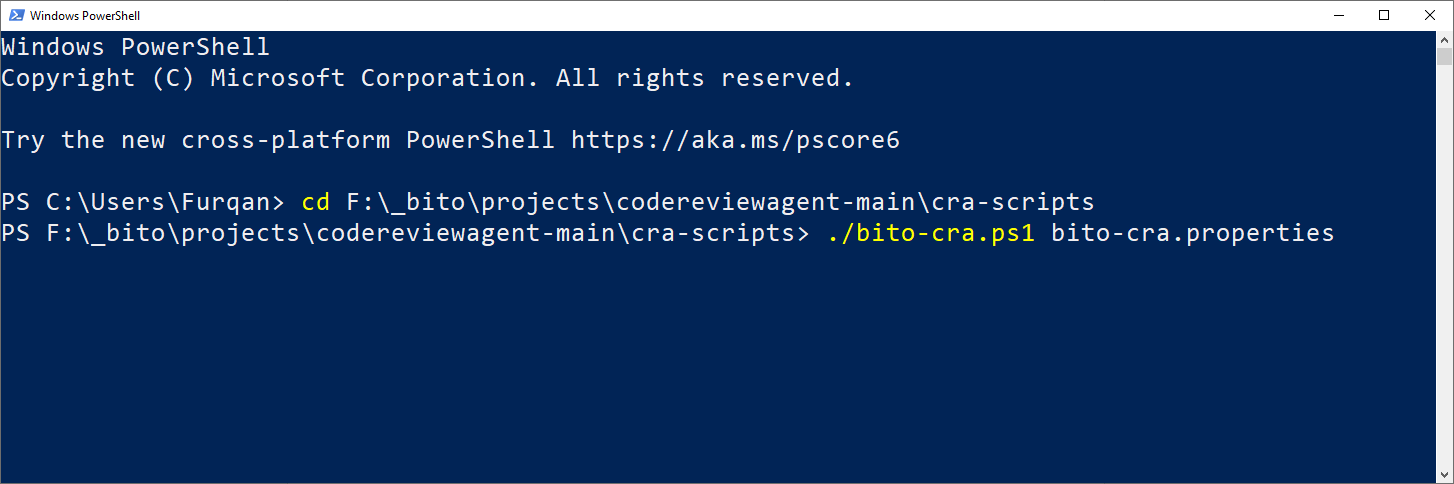
6. **Set Directory:**
* Change the current directory in Bash/PowerShell to the “cra-scripts” folder.
* Example command: `cd [Path to cra-scripts folder]`
* Adjust the path based on your extraction location.
7. **Configure Properties:**
* Open the **bito-cra.properties** file in a text editor from the “cra-scripts” folder. Detailed information for each property is provided on [**Agent Configuration: bito-cra.properties File**](/ai-code-reviews-in-git/install-run-as-a-self-hosted-service/agent-configuration-bito-cra.properties-file.md) page.
* Set mandatory properties:
* mode = cli
* pr\_url
* bito\_cli.bito.access\_key
* git.provider
* git.access\_token
{% hint style="info" %}
**Note:** Valid values for git.provider are GITHUB, GITLAB, or BITBUCKET.
{% endhint %}
* Optional properties (can be skipped or set as needed):
* git.domain
* code\_feedback
* static\_analysis
* dependency\_check
* dependency\_check.snyk\_auth\_token
* review\_scope
* exclude\_branches
* exclude\_files
* exclude\_draft\_pr
{% hint style="info" %}
**Note:** Detailed information for each property is provided on [**Agent Configuration: bito-cra.properties File**](/ai-code-reviews-in-git/install-run-as-a-self-hosted-service/agent-configuration-bito-cra.properties-file.md) page.
{% endhint %}
{% hint style="info" %}
Check the [**Required Access Tokens**](/ai-code-reviews-in-git/install-run-as-a-self-hosted-service/prerequisites.md#required-access-tokens) guide to learn more about creating the access tokens needed to configure the Agent.
{% endhint %}
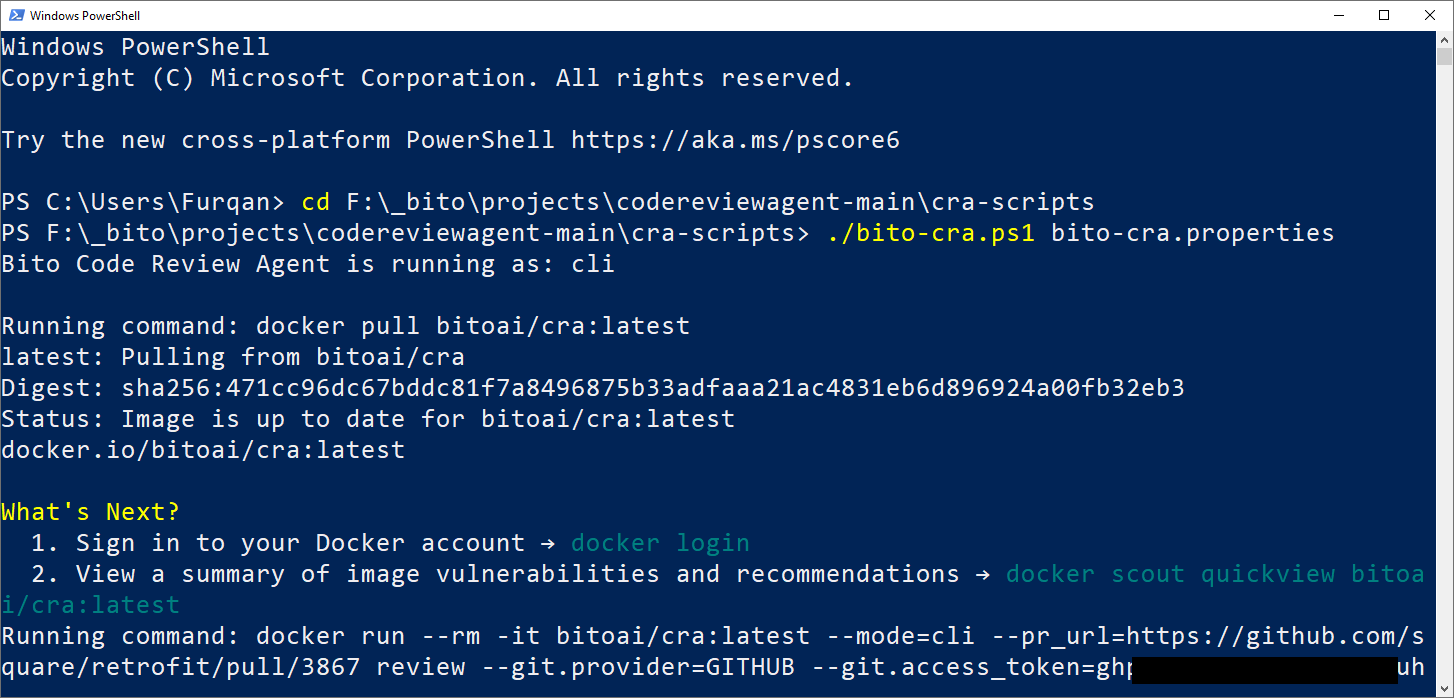
8. **Run the Agent:**
* On Linux/macOS in Bash: Run `./bito-cra.sh bito-cra.properties`
* On Windows in PowerShell: Run `./bito-cra.ps1 bito-cra.properties`
{% hint style="info" %}
This step might take time initially as it pulls the Docker image and performs the code review.
{% endhint %}
9. **Final Steps:**
* The script may prompt values of mandatory/optional properties if they are not preconfigured.
* Upon completion, a code review comment is automatically posted on the Pull Request specified in the **pr\_url** property.
{% hint style="info" %}
**Note:** To improve efficiency, the AI Code Review Agent is disabled by default for pull requests involving the **"main"** branch. This prevents unnecessary processing and token usage, as changes to the **"main"** branch are typically already reviewed in release or feature branches. To change this default behavior and include the **"main"** branch, please [**contact support**](mailto:support@bito.ai).
{% endhint %}
## Screenshots
### Screenshot # 1
{% hint style="info" %}
*AI-generated pull request (PR) summary*
{% endhint %}
### Screenshot # 2
{% hint style="info" %}
**Changelist** showing key changes and impacted files in a pull request.
{% endhint %}
Changelist in AI Code Review Agent's feedback.
### Screenshot # 3
{% hint style="info" %}
*AI code review feedback posted as comments on the pull request.*
{% endhint %}
---
# Agent Instructions
This documentation is published with GitBook. GitBook is the documentation platform designed so that both humans and AI agents can read, navigate, and reason over technical content effectively. Learn more at gitbook.com.
## Querying This Documentation
If you need additional information that is not directly available in this page, you can query the documentation by asking a question.
Perform an HTTP GET request on the following URL with the `ask` and `goal` query parameters:
```
GET https://docs.bito.ai/ai-code-reviews-in-git/install-run-as-a-self-hosted-service/install-run-via-cli.md?ask=&goal=
```
`ask` is the immediate question: it should be specific, self-contained, and written in natural language.
`goal` is what the user is ultimately trying to achieve, the reason they need the answer. Sharing it helps GitBook give you a better, more relevant answer. A goal is most helpful when it describes the outcome the user wants rather than restating the question. For example, with `ask=how do I create an API token`, a goal like `automate deployments from our CI pipeline` lets GitBook tailor the answer to that use case.
The response will contain a direct answer to the question and relevant excerpts and sources from the documentation.
Use this mechanism when the answer is not explicitly present in the current page, you need clarification or additional context, or you want to retrieve related documentation sections.