# Install/run via webhooks service

## Prerequisites

### Minimum System Requirements

A machine with the following minimum specifications is recommended for Docker image deployment and for obtaining optimal performance of the AI Code Review Agent.

| Requirement     | Minimum Specification |
| --------------- | --------------------- |
| CPU Cores       | 4                     |
| RAM             | 8 GB                  |
| Hard Disk Drive | 80 GB                 |

***

### Supported Operating Systems

* Windows
* Linux
* macOS

***

### OS Prerequisites

<table><thead><tr><th width="192" align="center">Operating System</th><th>Installation Steps</th></tr></thead><tbody><tr><td align="center"><strong>Linux</strong></td><td><p><strong>You will need:</strong></p><ol><li><p><strong>Bash</strong> (minimum version 4.x)</p><ul><li><p>For Debian and Ubuntu systems</p><p><code>sudo apt-get install bash</code></p></li></ul><p></p><ul><li><p>For CentOS and other RPM-based systems</p><p><code>sudo yum install bash</code></p></li></ul></li></ol><p> </p><ol start="2"><li><p><strong>Docker</strong> (minimum version 20.x)</p><ul><li><a href="https://docs.docker.com/engine/install/">View Guide</a></li></ul></li></ol><p> </p></td></tr><tr><td align="center"><strong>macOS</strong></td><td><p><strong>You will need:</strong></p><ol><li><p><strong>Bash</strong> (minimum version 4.x)</p><p><code>brew install bash</code></p></li></ol><p></p><ol start="2"><li><p><strong>Docker</strong> (minimum version 20.x)</p><ul><li><a href="https://docs.docker.com/engine/install/">View Guide</a></li></ul></li></ol><p> </p></td></tr><tr><td align="center"><strong>Windows</strong></td><td><p><strong>You will need:</strong></p><ol><li><p><strong>PowerShell</strong> (minimum version 5.x)</p><ul><li><a href="https://learn.microsoft.com/en-us/powershell/scripting/install/installing-powershell-on-windows?view=powershell-7.4">View Guide</a></li><li>Note: In PowerShell version 7.x, run <code>Set-ExecutionPolicy Unrestricted</code> command. It allows the execution of scripts without any constraints, which is essential for running scripts that are otherwise blocked by default security settings.</li></ul></li></ol><p></p><ol start="2"><li><p><strong>Docker</strong> (minimum version 20.x)</p><ul><li><a href="https://docs.docker.com/engine/install/">View Guide</a></li></ul></li></ol><p> </p></td></tr></tbody></table>

***

### Required Access Tokens

* **Bito Access Key:** Obtain your Bito Access Key. [**View Guide**](https://docs.bito.ai/help/account-and-settings/access-key)
* **GitHub Personal Access Token (Classic):** For GitHub PR code reviews, ensure you have a CLASSIC personal access token with repo access. We do not support fine-grained tokens currently. [**View Guide**](https://docs.github.com/en/authentication/keeping-your-account-and-data-secure/managing-your-personal-access-tokens#creating-a-personal-access-token-classic)  &#x20;

<figure><img src="https://2860197046-files.gitbook.io/~/files/v0/b/gitbook-x-prod.appspot.com/o/spaces%2FYgNBTrPKG0DuVdAyDvSa%2Fuploads%2FBZH0vDwrPqYQPMIxIyNW%2Fimage.png?alt=media&#x26;token=a4c42d8d-61a5-4cdb-87a1-622c0ba8f1ae" alt=""><figcaption><p><strong>GitHub Personal Access Token (Classic)</strong></p></figcaption></figure>

* **GitLab Personal Access Token:** For GitLab PR code reviews, a token with API access is required. [**View Guide**](https://docs.gitlab.com/ee/user/profile/personal_access_tokens.html#create-a-personal-access-token)

<figure><img src="https://2860197046-files.gitbook.io/~/files/v0/b/gitbook-x-prod.appspot.com/o/spaces%2FYgNBTrPKG0DuVdAyDvSa%2Fuploads%2FghbsjA3aafRQJBQGnksv%2Fimage%20(1).png?alt=media&#x26;token=6feb55f7-39b3-4d61-8e46-f6b233e64849" alt=""><figcaption><p><strong>GitLab Personal Access Token</strong></p></figcaption></figure>

* **Snyk API Token (Auth Token):** For Snyk vulnerability reports, obtain a Snyk API Token. [**View Guide**](https://docs.snyk.io/getting-started/how-to-obtain-and-authenticate-with-your-snyk-api-token)

***

## Installation and Configuration Steps

1. **Prerequisites:** Before proceeding, ensure you've completed all necessary [**prerequisites for self-hosted**](#prerequisites) AI Code Review Agent.
2. **Server Requirement:** Ensure you have a server with a domain name or IP address.
3. **Start Docker:** Initialize Docker on your server.
4. **Clone the repository:** [**Clone the AI Code Review Agent**](https://github.com/gitbito/codereviewagent) GitHub repository to your server using the following command:
   * `git clone https://github.com/gitbito/CodeReviewAgent.git`
   * **Note:** It is recommended to clone the repository instead of downloading the .zip file. This approach allows you to easily [**update the Agent**](#how-to-update-the-self-hosted-ai-code-review-agent) later using the `git pull` command.
5. **Open the repository folder:**
   * Navigate to the repository folder and then to the “cra-scripts” subfolder.

<figure><img src="https://2860197046-files.gitbook.io/~/files/v0/b/gitbook-x-prod.appspot.com/o/spaces%2FYgNBTrPKG0DuVdAyDvSa%2Fuploads%2FYaZdU057J1qY8mpafUQP%2F2.PNG?alt=media&#x26;token=4ad6af3d-47be-442b-9c5d-2bdc0400c944" alt=""><figcaption></figcaption></figure>

* Note the full path to the “cra-scripts” folder for later use.

<figure><img src="https://2860197046-files.gitbook.io/~/files/v0/b/gitbook-x-prod.appspot.com/o/spaces%2FYgNBTrPKG0DuVdAyDvSa%2Fuploads%2FmuagwhDXqUteSbOTJNPp%2Fcra_5.png?alt=media&#x26;token=7f776742-cd2f-4db2-8a00-b2165ee44752" alt=""><figcaption></figcaption></figure>

6. **Open Command Line:**
   * Use Bash for Linux and macOS.
   * Use PowerShell for Windows.
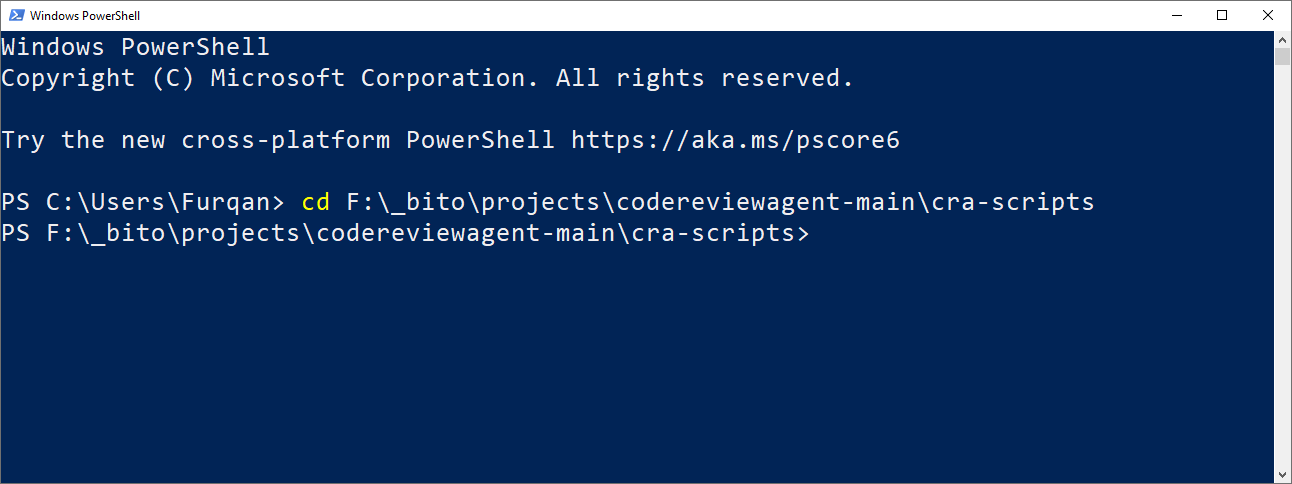
7. **Set Directory:**
   * Change the current directory in Bash/PowerShell to the “cra-scripts” folder.
   * Example command: `cd [Path to cra-scripts folder]`
   * **Note:** Adjust the path based on where you cloned the repository on your system.

<figure><img src="https://2860197046-files.gitbook.io/~/files/v0/b/gitbook-x-prod.appspot.com/o/spaces%2FYgNBTrPKG0DuVdAyDvSa%2Fuploads%2FGnsxyvCury17bK6ojK9V%2F6.PNG?alt=media&#x26;token=fca033ea-6f05-4bf8-a033-75ee11be7e4a" alt=""><figcaption></figcaption></figure>

<figure><img src="https://2860197046-files.gitbook.io/~/files/v0/b/gitbook-x-prod.appspot.com/o/spaces%2FYgNBTrPKG0DuVdAyDvSa%2Fuploads%2F8A09WmtAoKU9Cln7b3uf%2F7.PNG?alt=media&#x26;token=da370a92-d4e5-4710-a097-4fa789fe54a3" alt=""><figcaption></figcaption></figure>

8. **Configure Properties:**
   * Open the **bito-cra.properties** file in a text editor from the “cra-scripts” folder. Detailed information for each property is provided on [**Agent Configuration: bito-cra.properties File**](https://docs.bito.ai/ai-code-reviews-in-git/install-run-as-a-self-hosted-service/agent-configuration-bito-cra.properties-file) page.
   * Set mandatory properties:
     * mode = server
     * bito\_cli.bito.access\_key
     * git.access\_token
   * Optional properties (can be skipped or set as needed):
     * git.provider
     * git.domain
     * code\_feedback
     * static\_analysis
     * dependency\_check
     * dependency\_check.snyk\_auth\_token
     * server\_port
     * review\_scope
     * exclude\_branches
     * exclude\_files
     * exclude\_draft\_pr

{% hint style="info" %}
**Note:** Valid values for git.provider are GITHUB or GITLAB.
{% endhint %}

{% hint style="info" %}
**Note:** Detailed information for each property is provided on [**Agent Configuration: bito-cra.properties File**](https://docs.bito.ai/ai-code-reviews-in-git/install-run-as-a-self-hosted-service/agent-configuration-bito-cra.properties-file) page.
{% endhint %}

{% hint style="info" %}
Check the [**Required Access Tokens**](https://docs.bito.ai/ai-code-reviews-in-git/prerequisites#required-access-tokens) guide to learn more about creating the access tokens needed to configure the Agent.
{% endhint %}

<figure><img src="https://2860197046-files.gitbook.io/~/files/v0/b/gitbook-x-prod.appspot.com/o/spaces%2FYgNBTrPKG0DuVdAyDvSa%2Fuploads%2FRlugvd7UX2qXOoAwhnsL%2Fcra_9.png?alt=media&#x26;token=0522b55c-a95a-4264-9853-980d09cfcfa9" alt=""><figcaption></figcaption></figure>

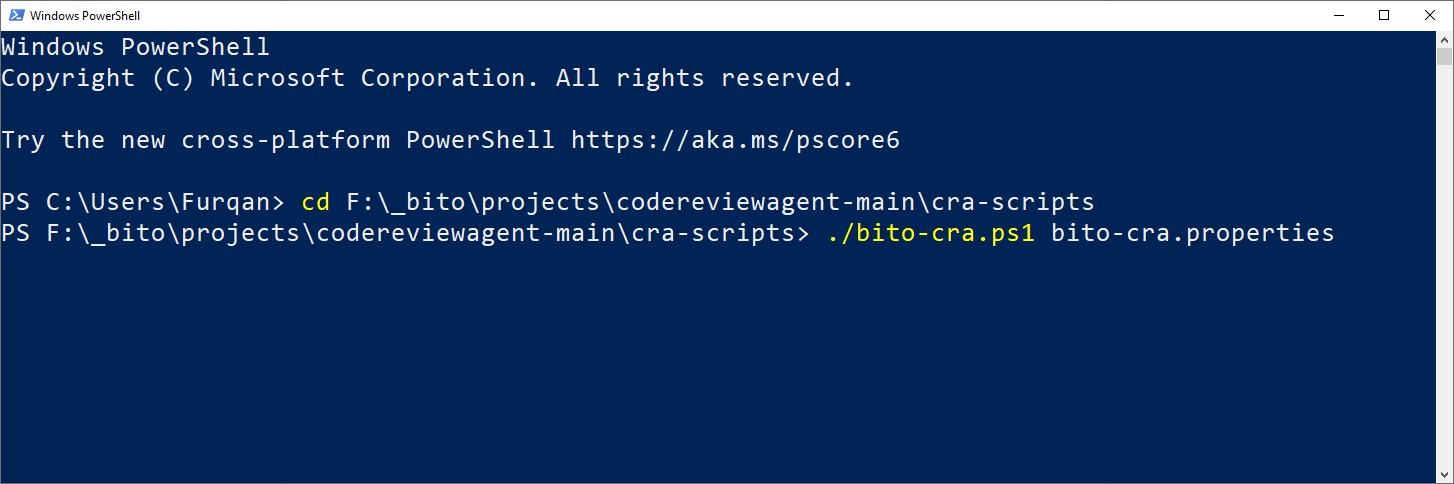
9. **Run the Agent:**
   * **On Linux/macOS in Bash:**
     * Run `./bito-cra.sh service start bito-cra.properties`
     * **Note:** It will provide the Git Webhook secret in encrypted format.
   * **On Windows in PowerShell:**
     * Install OpenSSL
       * Reference-1: <https://wiki.openssl.org/index.php/Binaries>
       * Reference-2: <https://slproweb.com/products/Win32OpenSSL.html>
     * Run `./bito-cra.ps1 service start bito-cra.properties`
     * **Note:** It will provide the Git Webhook secret in encrypted format.

{% hint style="info" %}
This step might take time initially as it pulls the Docker image and performs the code review.
{% endhint %}

<figure><img src="https://2860197046-files.gitbook.io/~/files/v0/b/gitbook-x-prod.appspot.com/o/spaces%2FYgNBTrPKG0DuVdAyDvSa%2Fuploads%2FzalttOI7Osr6BzwS94fW%2F8.PNG?alt=media&#x26;token=8615d023-cd00-4fc1-9616-9b6df3abd6c0" alt=""><figcaption></figcaption></figure>

10. **Provide Missing Property Values:** The script may prompt for values of mandatory/optional properties if they are not preconfigured.
11. **Copy Webhook Secret:** During the script execution, a webhook secret is generated and displayed in the shell. Copy the secret displayed under **"Use below as Gitlab and Github Webhook secret:"** for use in GitHub or GitLab when setting up the webhook.

<figure><img src="https://2860197046-files.gitbook.io/~/files/v0/b/gitbook-x-prod.appspot.com/o/spaces%2FYgNBTrPKG0DuVdAyDvSa%2Fuploads%2F2eGxT6LoIlvMmHmC3avR%2Fscrnli_1_22_2024_7-34-26%20AM.png?alt=media&#x26;token=dc037dff-e5aa-43b4-809c-e1d01f838a27" alt=""><figcaption></figcaption></figure>

## Webhook Setup Guide

[**GitHub Webhook Setup Guide**](https://docs.github.com/en/webhooks/using-webhooks/creating-webhooks)**:**

* Login to your [GitHub](https://github.com/) account.
* Navigate to the main page of the repository. Under your repository name, click **Settings**.
* In the left sidebar, click **Webhooks**.
* Click **Add webhook**.
* Under **Payload URL**, enter the URL of the webhook endpoint. This is the server's URL to receive webhook payloads.
  * **Note:** The GitHub Payload URL should follow this format: `https://<domain name/ip-address>/api/v1/github_webhooks`, where `https://<domain name/ip-address>` should be mapped to Bito's AI Code Review Agent container, which runs as a service on a configured TCP port such as 10051. Essentially, you need to append the string **"/api/v1/github\_webhooks"** (without quotes) to the URL where the AI Code Review Agent is running.
  * For example, a typical webhook URL would be `https://cra.example.com/api/v1/github_webhooks`
* Select the **Content type** “application/json” for JSON payloads.
* In **Secret token**, enter the webhook secret token that you copied above. It is used to validate payloads.
* Click on **Let me select individual events** to select the events that you want to trigger the webhook. For code review select these:
  * **Issue comments** - To enable Code Review on-demand by issuing a command in the PR comment.
  * **Pull requests** - To auto-trigger Code Review when a pull request is created.
  * **Pull request review comments** - So, you can share feedback on the review quality by answering the feedback question in the code review comment.
* To make the webhook active immediately after adding the configuration, select **Active**.
* Click **Add webhook**.

[**GitLab Webhook Setup Guide**](https://docs.gitlab.com/ee/user/project/integrations/webhooks.html#configure-a-webhook-in-gitlab)**:**

* Login to your [GitLab](https://gitlab.com/users/sign_in) account.
* Select the repository where the webhook needs to be configured.
* On the left sidebar, select **Settings > Webhooks**.
* Select **Add new webhook**.
* In **URL**, enter the URL of the webhook endpoint. This is the server's URL to receive webhook payloads.
  * **Note:** The GitLab webhook URL should follow this format: `https://<domain name/ip-address>/api/v1/gitlab_webhooks`, where `https://<domain name/ip-address>` should be mapped to Bito's AI Code Review Agent container, which runs as a service on a configured TCP port such as 10051. Essentially, you need to append the string **"/api/v1/gitlab\_webhooks"** (without quotes) to the URL where the AI Code Review Agent is running.
  * For example, a typical webhook URL would be `https://cra.example.com/api/v1/gitlab_webhooks`
* In **Secret token**, enter the webhook secret token that you copied above. It is used to validate payloads.
* In the **Trigger** section, select the events to trigger the webhook. For code review select these:
  * **Comments** - for on-demand code review.
  * **Merge request events** - for automatic code review when a merge request is created.
  * **Emoji events** - So, you can share feedback on the review quality using emoji reactions.
* Select **Add webhook**.

[**BitBucket Webhook Setup Guide**](https://support.atlassian.com/bitbucket-cloud/docs/create-and-trigger-a-webhook-tutorial/)**:**

* Login to your [BitBucket](https://bitbucket.org/) account.
* Navigate to the main page of the repository. Under your repository name, click **Repository Settings**.
* In the left sidebar, click **Webhooks**.
* Click **Add webhook**.
* Under **URL**, enter the URL of the webhook endpoint. This is the server's URL to receive webhook payloads.
  * **Note:** The BitBucket Payload URL should follow this format: `https://<domain name/ip-address>/api/v1/bitbucket_webhooks`, where `https://<domain name/ip-address>` should be mapped to Bito's AI Code Review Agent container, which runs as a service on a configured TCP port such as 10051. Essentially, you need to append the string **"/api/v1/bitbucket\_webhooks"** (without quotes) to the URL where the AI Code Review Agent is running.
  * For example, a typical webhook URL would be `https://cra.example.com/api/v1/bitbucket_webhooks`
* In **Secret token**, enter the webhook secret token that you copied above. It is used to validate payloads.
* In the **Triggers** section, select the events to trigger the webhook. For code review select these:
  * **Pull Request > Comment created** - for on-demand code review.
  * **Pull Request > Created** - for automatic code review when a merge request is created.
* Select **Save**.

***

## Using the AI Code Review Agent

After configuring the webhook, you can invoke the AI Code Review Agent in the following ways:

{% hint style="info" %}
**Note:** To improve efficiency, the AI Code Review Agent is disabled by default for pull requests involving the **"main"** branch. This prevents unnecessary processing and token usage, as changes to the **"main"** branch are typically already reviewed in release or feature branches. To change this default behavior and include the **"main"** branch, please [**contact support**](mailto:support@bito.ai).
{% endhint %}

1. **Automated Code Review**: If the webhook is configured to be triggered on the **Pull requests** event (for GitHub) or **Merge request** event (for GitLab), the agent will automatically review new pull requests as soon as they are created and post the review feedback as a comment within your PR.
2. **Manually Trigger Code Review:** To start the process, simply type **`/review`** in the comment box on the pull request and submit it. If the webhook is configured to be triggered on the **Issue comments** event (for GitHub) or **Comments** event (for GitLab), this action will initiate the code review process. The **`/review`** command prompts the agent to review the pull request and post its feedback directly in the PR as a comment.

   Bito also offers specialized commands that are designed to provide detailed insights into specific areas of your source code, including security, performance, scalability, code structure, and optimization.

   * **`/review security`:** Analyzes code to identify security vulnerabilities and ensure secure coding practices.
   * **`/review performance`:** Evaluates code for performance issues, identifying slow or resource-heavy areas.
   * **`/review scalability`:** Assesses the code's ability to handle increased usage and scale effectively.
   * **`/review codeorg`:** Scans for readability and maintainability, promoting clear and efficient code organization.
   * **`/review codeoptimize`:** Identifies optimization opportunities to enhance code efficiency and reduce resource usage.

   By default, the **`/review`** command generates inline comments, meaning that code suggestions are inserted directly beneath the code diffs in each file. This approach provides a clearer view of the exact lines requiring improvement. However, if you prefer a code review in a single post rather than separate inline comments under the diffs, you can include the optional parameter: **`/review #inline_comment=False`**

   For more details, refer to [Available Commands](https://docs.bito.ai/ai-code-reviews-in-git/available-commands).

   <figure><img src="https://2860197046-files.gitbook.io/~/files/v0/b/gitbook-x-prod.appspot.com/o/spaces%2FYgNBTrPKG0DuVdAyDvSa%2Fuploads%2FrcIGhiEeBRVPV69BaaiW%2Fscrnli_2_28_2024_8-57-29%20PM.png?alt=media&#x26;token=845b4c88-5b7a-4e7a-a9fb-13648095a15e" alt=""><figcaption></figcaption></figure>

{% hint style="info" %}
It may take a few minutes to get the code review posted as a comment, depending on the size of the pull request.
{% endhint %}

## Screenshots

### Screenshot # 1

{% hint style="info" %}
*AI-generated pull request (PR) summary*
{% endhint %}

<figure><img src="https://2860197046-files.gitbook.io/~/files/v0/b/gitbook-x-prod.appspot.com/o/spaces%2FYgNBTrPKG0DuVdAyDvSa%2Fuploads%2Fk5wsTj4siolCcaZqHRIX%2Fscrnli_9_13_2024_12-33-56%20PM.png?alt=media&#x26;token=63cb7da9-21ca-41a1-83ba-9b107d07a6cf" alt=""><figcaption></figcaption></figure>

### Screenshot # 2

{% hint style="info" %}
**Changelist** showing key changes and impacted files in a pull request.
{% endhint %}

<figure><img src="https://2860197046-files.gitbook.io/~/files/v0/b/gitbook-x-prod.appspot.com/o/spaces%2FYgNBTrPKG0DuVdAyDvSa%2Fuploads%2FyH8h3KVhYqjy8nSHQCby%2Fchangelist_by_bito.png?alt=media&#x26;token=99c64f3d-f554-47fd-aab7-f2d8d9994c09" alt=""><figcaption><p>Changelist in AI Code Review Agent's feedback.</p></figcaption></figure>

### Screenshot # 3

{% hint style="info" %}
*AI code review feedback posted as comments on the pull request.*
{% endhint %}

<figure><img src="https://2860197046-files.gitbook.io/~/files/v0/b/gitbook-x-prod.appspot.com/o/spaces%2FYgNBTrPKG0DuVdAyDvSa%2Fuploads%2FP0sUIAZ3Lq0FqL9ytfPF%2Fscrnli_9_13_2024_12-49-29%20PM_cropped_3.png?alt=media&#x26;token=d74d3b27-4831-4735-9559-6f9da191e910" alt=""><figcaption></figcaption></figure>

***

## How to update the self-hosted AI Code Review Agent

Please follow these steps:

1. **Update the Agent's repository:**
   * Pull the latest changes from the <https://github.com/gitbito/CodeReviewAgent> repository by running the following command in your terminal, ensuring you are inside the repository folder:
   * `git pull origin main`
2. **Restart the Docker container:**
   * To restart the Docker container running as a service, use the below command.
   * **On Linux/macOS in Bash:** Run `./bito-cra.sh service restart bito-cra.properties`
   * **On Windows in PowerShell:** Run `./bito-cra.ps1 service restart bito-cra.properties`

***

## Stop Docker Container

To stop the Docker container running as a service, use the below command.

* On Linux/macOS in Bash: Run `./bito-cra.sh service stop`
* On Windows in PowerShell: Run `./bito-cra.ps1 service stop`

***

## Check Status

To check the status of Docker container running as a service, use the below command.

* On Linux/macOS in Bash: Run `./bito-cra.sh service status`
* On Windows in PowerShell: Run `./bito-cra.ps1 service status`


---

# Agent Instructions: Querying This Documentation

If you need additional information that is not directly available in this page, you can query the documentation dynamically by asking a question.

Perform an HTTP GET request on the current page URL with the `ask` query parameter:

```
GET https://docs.bito.ai/ai-code-reviews-in-git/install-run-as-a-self-hosted-service/install-run-via-webhooks-service.md?ask=<question>
```

The question should be specific, self-contained, and written in natural language.
The response will contain a direct answer to the question and relevant excerpts and sources from the documentation.

Use this mechanism when the answer is not explicitly present in the current page, you need clarification or additional context, or you want to retrieve related documentation sections.